
3 Steps to Building a Social Media Content Calendar
February 2019 Main Street Matters
by Sheila Scarborough and Leslie McLellan, Tourism Currents
Editor’s Note: Tourism Currents offers online and in-person training in social media and digital destination marketing for tourism and hospitality. Launched in September 2009, the team is led by Sheila Scarborough and Leslie McLellan. Tourism Currents led a session on social media content planning at the 2019 Main Street Now Conference in Seattle.
Do you ever stare at your computer and wonder what to post on social media on any given day? You’re certainly not alone!
You hear all the time that instead of winging it, Main Street small businesses and programs need to have some sort of social media planning calendar. Maybe it’s even on your “Really Important To Do” list, but for whatever reason, you have never put one together.
This post will get your first calendar up and running in no time.
However, these tips assume that your downtowners ALREADY KNOW who their customers and target markets are, and where they spend time online, including which social media platforms. You’ve got to have a handle on these two things before you dive in, otherwise you’re talking to the wrong people in the wrong places.
Here are the steps to take:
1. Create Different Types of Content for Different People
Some folks are ready to buy your stuff. They already know about you. They trust your products or services, they’ve already comparison-shopped, and they are confident that what you offer will solve a problem or fill a need.
Other folks are at the opposite end of the customer journey—they’ve never even heard of you.
You need a variety of social media content that is compelling to people at different stages of making buying decisions. No one wants to only see “Buy my stuff” posts.
It all boils down to four types of posts for your Main Street:
Awareness/Engagement – Help people find you and learn about you. Examples include a “new in the store” photo on Instagram, or a short behind-the-scenes Facebook Live video about your business. Keep your social media connections aware of and engaged with you.
Lead generation – Turn awareness/engagement into a deeper relationship with those who would be a good fit as customers. The point of these posts is to get people to your website, and if possible, onto your email or SMS/text notifications list. These types of posts must include a call to action and often use wording like, “Did you know we offer ____?” Ask the Expert/Q&A posts work well, too, followed by “call us” or a link to a specific product page on your website.
Sales – You are straight-out asking for the sale. Examples include sharing customer testimonials, time-sensitive offers, and holiday marketing of deals and specials.
Nurturing (part of customer service) – Pay attention to the people who already love what you offer. For example, a customer checks into your business on Facebook and says nice things—you thank them publicly on the post AND send them a coupon code for a future visit.
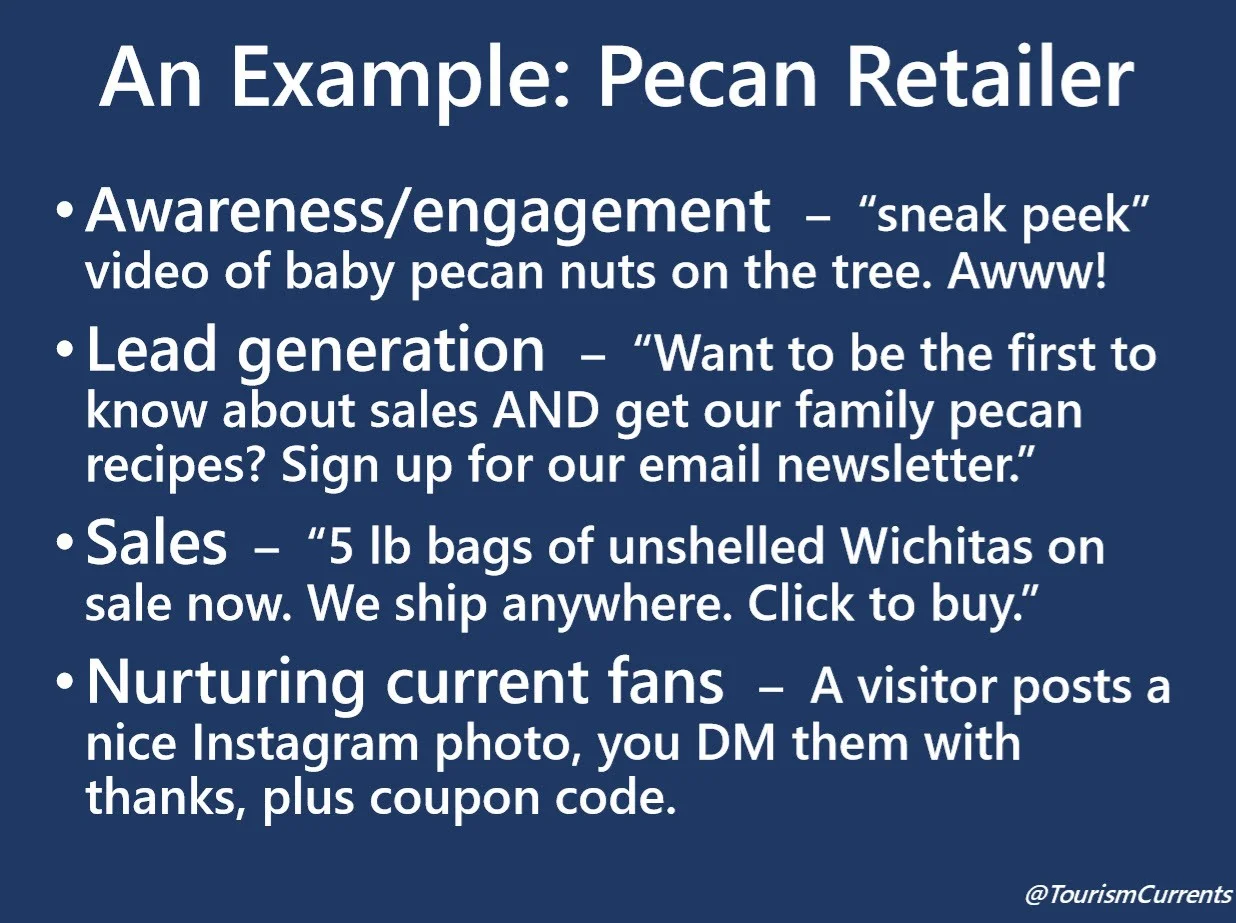
Here are social media content examples from a Uvalde pecan retailer:
BONUS TIP – write your posts in a way that gets your readers to interact. Ask leading questions… “Which is your favorite?” “Who wants to do _____?” and “Who has tried this?”
2. Build a “Content Basket” of Social Media Post Ideas
It’s a lot easier to plug content into a calendar if you have a nice stack of ideas to draw from; what we call a “content basket.”
Keep a list by your computer or on it (paper or electronic) to remind you of different posts you can
create that will support your marketing goals on each social platform.
For each goal, have a list of content ideas such as photos, plain text posts, video, live video, audio including podcasts, eBooks, tip sheets, checklists, infographics, how-to guides, contests/giveaways,
best types of customer content to share, or coupons/discounts.
Remember Part 1 above—include different types of content. For example, your list might have a mix of video ideas: short and snappy ones for customer awareness/engagement, plus longer ones that go deeper into the benefits of a product or service and are focused on helping you with lead generation and sales.
3. Build out a Calendar Draft. Start with Next Week.
This is what we call the “plug and chug” phase. You’re taking that basket or list of content ideas and starting to figure out which posts are going to go up on which days.

The simplest way to do this is to write down the days of the week across the top of a piece of paper and where you need to post on social media down the side, then fill in the blanks, like this:
If you like to use Excel, then you can make a spreadsheet that looks something like this:

Your calendar content will be driven by the seasons and holidays, too.
It doesn’t matter how you lay out your calendar, or if you do it in a weekly or monthly format. What matters is that you have a plan that supports your goals. Know what you are going to post, and when. Know why you are posting it. That is the path to Main Street social success.